Understanding the Solana Data Model (A Beginner-Friendly Explanation)
If you’re coming from a traditional development background, the **Solana data model can feel unusual at first**. In Web2 applications, data typically lives ins...
mscode074 min read
If you’re coming from a traditional development background, the Solana data model can feel unusual at first.
In Web2 applications, data typically lives inside SQL or NoSQL databases. But in Solana, things work very differently.
Instead of databases, all application data is stored inside accounts on the blockchain.
Once you understand this concept, the rest of the Solana architecture starts to make much more sense.
Let’s break it down step by step.
How Data Is Stored in Web2
In traditional applications, the data flow usually looks like this:
```
Frontend → Backend → Database
You might create a database table like this:
<span>Press enter or click to view image in full size</span>
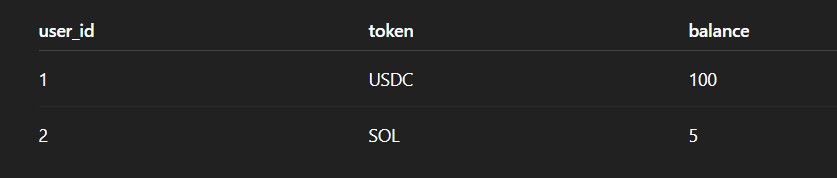Your backend server reads and writes data from this database whenever users interact with the app.
Everything is centralized and stored in one database system.
## **How Solana Stores Data**
Solana works very differently.
Instead of a centralized database, all application data is stored inside accounts on the blockchain.
Every program (smart contract) stores its state across multiple accounts.
So instead of:
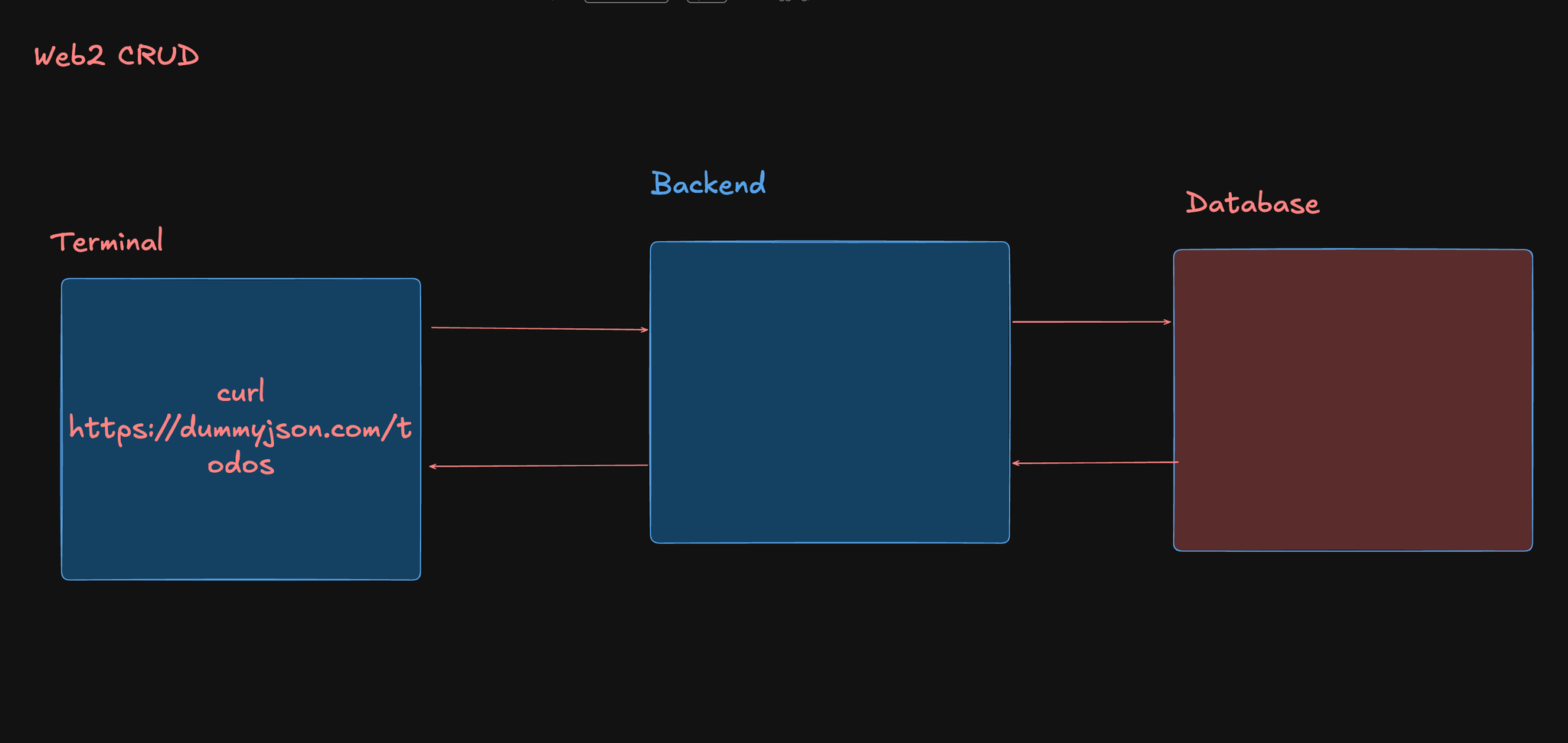**App → Database**\
\
You get something like:
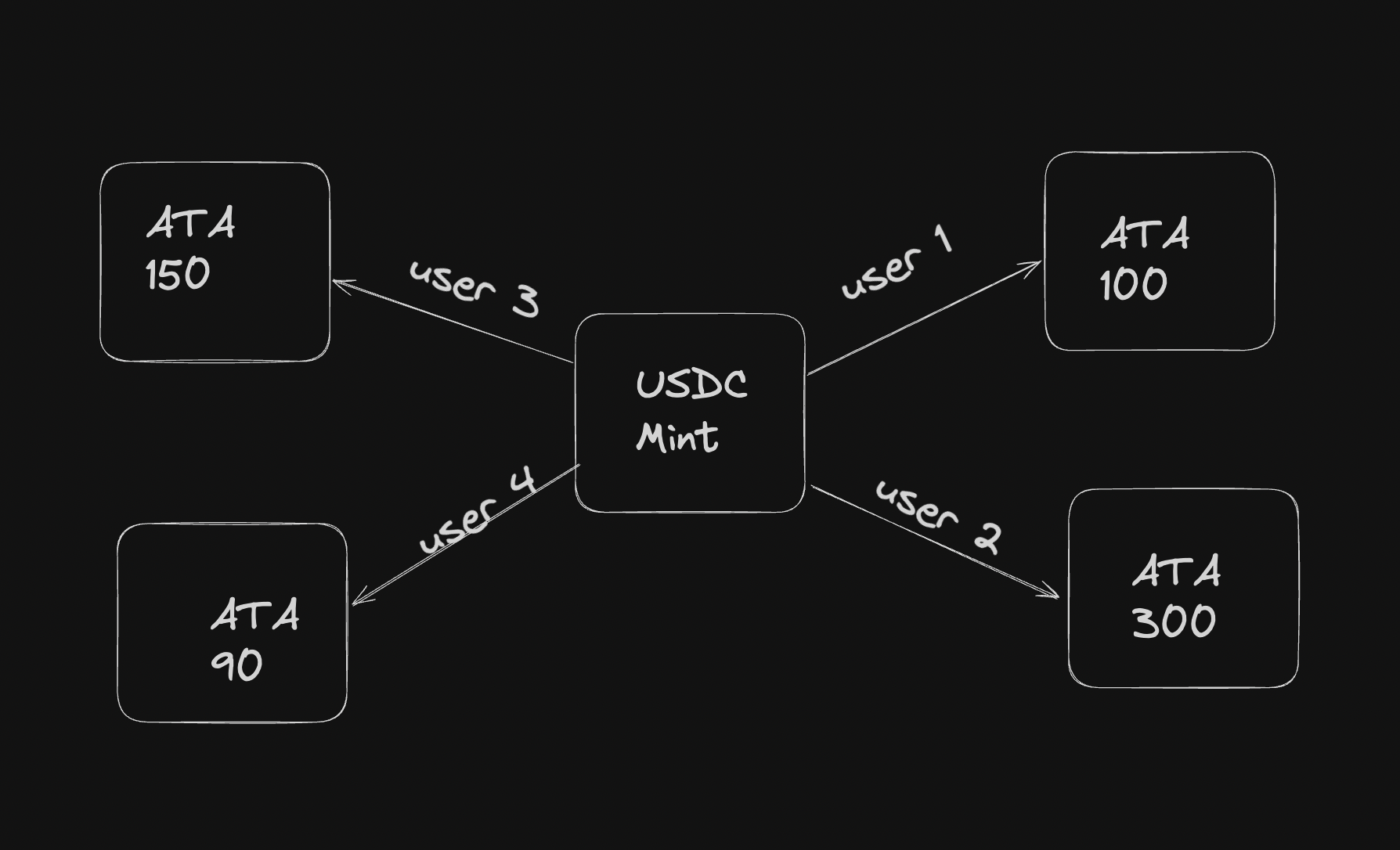**Program → Multiple Accounts on Chain**\
\
Each account stores data that the program controls.
## **Example: The USDC Token on Solana**
To understand this better, let’s look at USDC on Solana.
**USDC** is a stablecoin issued by an organization. Its supply is controlled by a mint account.
At the center of the system is the **USDC** Mint Account.
The mint account stores important information such as:
- total token supply
- Decimal Precision
- Mint Authority
- Freeze Authority
However, the mint account does not store user balances.
Instead, balances are stored in something called an Associated Token Account (ATA).
## **What Is an Associated Token Account (ATA)?**
Every user who holds a token has a **separate token account** for that specific token.
This account is called an **Associated Token Account (ATA)**.
For example, if your wallet holds:
- SOL
- USDC
- BONK
You actually have **multiple token accounts**, one for each token.
**Each token account stores:**
- the token mint
- the owner of the account
- the token balance
Your wallet simply reads these accounts and displays the balances.
## **How Wallets Show Your Token Balances?**
Wallets like Phantom do not actually store your tokens.
Instead, they query the blockchain and search for **token accounts associated with your public key**.
Once the wallet finds those accounts, it reads the balances and displays them in the interface.
So when Phantom shows tokens like:
- SOL
- USDC
- other SPL tokens
It is simply reading the **associated token accounts owned by your wallet**.
## **Key Components of the Solana Data Model**
Now let’s look at the main building blocks of Solana’s architecture.
## **1. Accounts**
Accounts are the **core storage units of Solana**.
Every piece of data on Solana lives inside an account.
Each account contains:
- lamports (SOL balance)
- owner (program ID)
- executable flag
- arbitrary data
## **2. Program Accounts**
Program accounts store **executable code**.
These are equivalent to **smart contracts** on other blockchains.
Programs interact with other accounts to read or modify their data.
## **3. Data Accounts**
Data accounts store the **state of an application**.
For example, a decentralized app might store:
- user balances
- order books
- governance votes
inside data accounts.
Only the **program that owns the account** can modify the data stored in it.
This ensures security and data integrity.
## **4. Program Derived Addresses (PDAs)**
Program Derived Addresses (PDAs) are special accounts generated by programs.
They are commonly used for:
- storing program-controlled data
- managing user state
- signing transactions programmatically
PDAs allow programs to control accounts **without needing private keys**.
## **Storage Costs and Rent in Solana**
Unlike traditional databases, storing data on Solana is **not free**.
When you create a new account, you must deposit some SOL as **rent**.
However, if the account holds enough SOL to be **rent-exempt**, it will remain active permanently.
The deposit can be refunded if the account is closed later.
## **Final Thoughts**
The Solana data model can seem confusing at first, especially for developers coming from Web2 systems.
But the core concept is simple:
**Everything in Solana is an account.**
Programs store and manage application state by interacting with these accounts.
Once you understand this architecture, building on Solana becomes much easier.
If you’d like to learn more, I also wrote a beginner guide on creating tokens using the Solana CLI.
<span style="color: rgb(36, 36, 36);">You can read it here:</span>
<https://artofcode.in/blog/a-beginners-guide-to-solana-cli-install-connect-and-create-your-first-token-if-youre-starting-your-journey-in-the-solana-ecosystem-one-of-the-best-tools-to-learn-first-is-the-solana-cli>