9 Proven Strategies to Build a Conversational AI Chatbot That Actually Converts (Without Burning Budget)
Most chatbots fail after the third message. Not because AI is bad. But because they: - Don’t remember context - Can’t handle nuance - Break during multi-step...
Most chatbots fail after the third message.
Not because AI is bad.
But because they:
- Don’t remember context
- Can’t handle nuance
- Break during multi-step requests
- Feel robotic
Customers leave frustrated.
Modern conversational AI chatbots fix this — but building one often feels expensive, complex, and over-engineered.
This guide shows you exactly how to build a scalable, context-aware AI chatbot — without integration chaos or sky-high costs.
1. Understand the Fundamentals: What Is a Conversational AI Chatbot?
A conversational AI chatbot goes beyond scripted flows.
Understands intent
- Extracts entities
- Maintains context
- Generates dynamic responses
Basic rule-based bots follow fixed if/else paths. They collapse when users go off-script.
Rule-Based vs Conversational AI
FeatureRule-Based BotConversational AIDialogueLinear scriptsContext-awareInput HandlingKeyword matchIntent + NLPMemoryNoneMulti-turn memoryAdaptabilityStaticLearns & improves
Architecture Comparison
Rule-Based Bot
Conversational AI Pipeline
Press enter or click to view image in full size
 Press enter or click to view image in full size
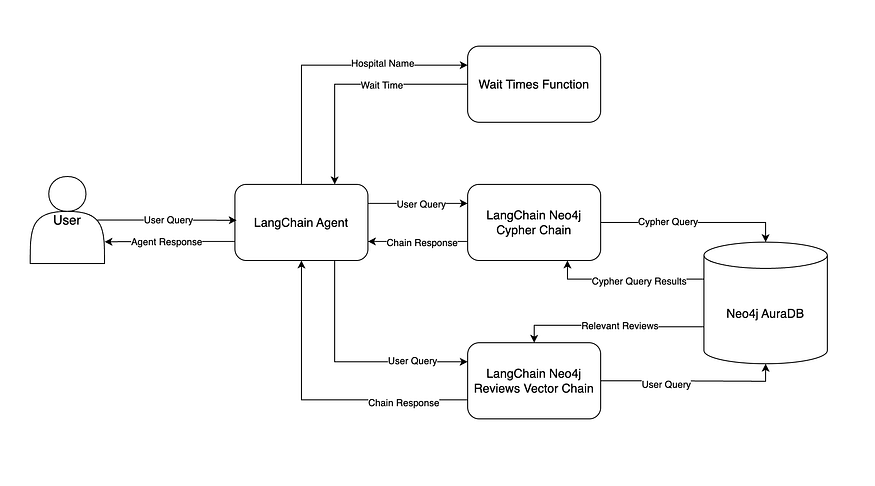 The difference is structural, not cosmetic.
2. How Conversational AI Chatbots Actually Work
Under the hood, modern chat bot AI systems follow a layered pipeline:
- User sends message
- Text preprocessing (tokenization, normalization)
- Intent classification
- Entity extraction (NER)
- Context retrieval
- Response generation
- Output safety + tone adjustment
Core Technologies
- NLP for intent detection
- Machine learning classifiers
- Context storage (session state or vector DBs like Pinecone)
- LLM-based response generation
Teams often build this using:
- Rasa
- Botpress
- Google Dialogflow
But stitching these components together requires engineering time.
And that’s where most startups stall.
3. Why Most AI Chatbots Fail in Production
Here’s what breaks in real-world deployments:
- No context memory → user repeats themselves
- Too much context → token costs explode
- Overly generative → hallucinations
- Too rule-heavy → robotic experience
The winning approach in 2026 is hybrid:
- Rules for predictable flows
- Generative AI for complex queries
- Controlled context windows
- Retrieval-based knowledge grounding
That balance avoids the uncanny valley and keeps costs stable.
4. Overcome Cost Barriers with Free AI Chatbot Options
You don’t need a six-figure budget.
Many platforms offer:
- AI chat free tiers
- Limited monthly conversations
- Website embed widgets
- Basic NLP capabilities
Free plans are perfect for:
- Validating engagement
- Testing lead qualification
- Automating FAQs
Start lean. Scale when metrics justify it.
5. Embed a Chatbot on Your Website in Minutes
Most platforms now offer instant deployment.
Step-by-Step
- Create your chatbot
- Configure widget appearance
- Copy the embed JavaScript snippet
- Paste it before </body>
- Test across devices
Pro tip:
Set z-index: 9999 to prevent overlap issues on modal-heavy sites.
For high-scale SaaS apps, REST APIs provide deeper integration into CRM and backend systems.
6. Build From Scratch (If You Want Full Control)
If you’re technical and want complete ownership:
Stack Example
- Python
- spaCy for NLP
- Transformer models (BERT variants)
- Custom intent classifier
- Vector DB for retrieval
- Cloud deployment (AWS / GCP)
Steps:
- Define intents + entities
- Label training data
- Train classifier (80/20 split)
- Build dialogue state management
- Add fallback handling
- Deploy via API
This gives maximum flexibility — but requires ongoing maintenance.
For most startups, speed > perfection.
7. Best Open-Source Platforms in 2026
Rasa
- Deep NLU control
- Highly customizable
- Requires an engineering team
Botpress
- Visual flow builder
- Faster prototyping
- Moderate learning curve
Google Dialogflow
- Enterprise-grade NLP
- Strong integrations
- Usage-based pricing
Choose based on:
- Team skillset
- Traffic scale
- Required customization
8. Real-World Use Cases That Convert
E-commerce
User: “I need a lightweight laptop under $1,000.”
Bot:
- Detects budget constraint
- Filters catalog
- Suggests 3 options
- Offers comparison
Banking
User: “Why was I charged twice?”
Bot:
- Detects billing issue
- Pulls recent transactions
- Identifies duplicate
- Initiates refund workflow
SaaS
User: “How do I connect Stripe?”
Bot:
- Detects integration intent
- Retrieves documentation
- Provides step-by-step instructions
That’s conversion-focused automation.
9. The Fastest Way to Launch Without Engineering Overhead
If you’re an indie hacker or small team, building from scratch is often overkill.
That’s where no-code builders come in.
Instead of wiring NLP pipelines manually, you:
- Name your bot
- Upload URLs or documents
- Test instantly
- Embed anywhere
No infrastructure.
No model fine-tuning.
No DevOps overhead.
The goal isn’t to build the most complex chatbot.
It’s to deploy one that works — fast.
Final Takeaway
Basic bots answer questions.
Conversational AI chatbots:
- Remember context
- Adapt to user intent
- Reduce support tickets
- Increase conversions
- Scale without linear hiring
If you’re building SaaS, e-commerce, or a service business:
Don’t spend three months wiring infrastructure.
Deploy a working AI chatbot in minutes.
Test with real users.
Iterate based on data.
Speed wins.